 Genesis Launcher
Info Hub
The Info Hub is a page of cards to the left of your home screen: notifications, weather, calendar, notes and widgets.
Turn it on
Go to Settings › Home screen › Info Hub, turn on Show Info Hub, and use Card options to choose and order the cards.
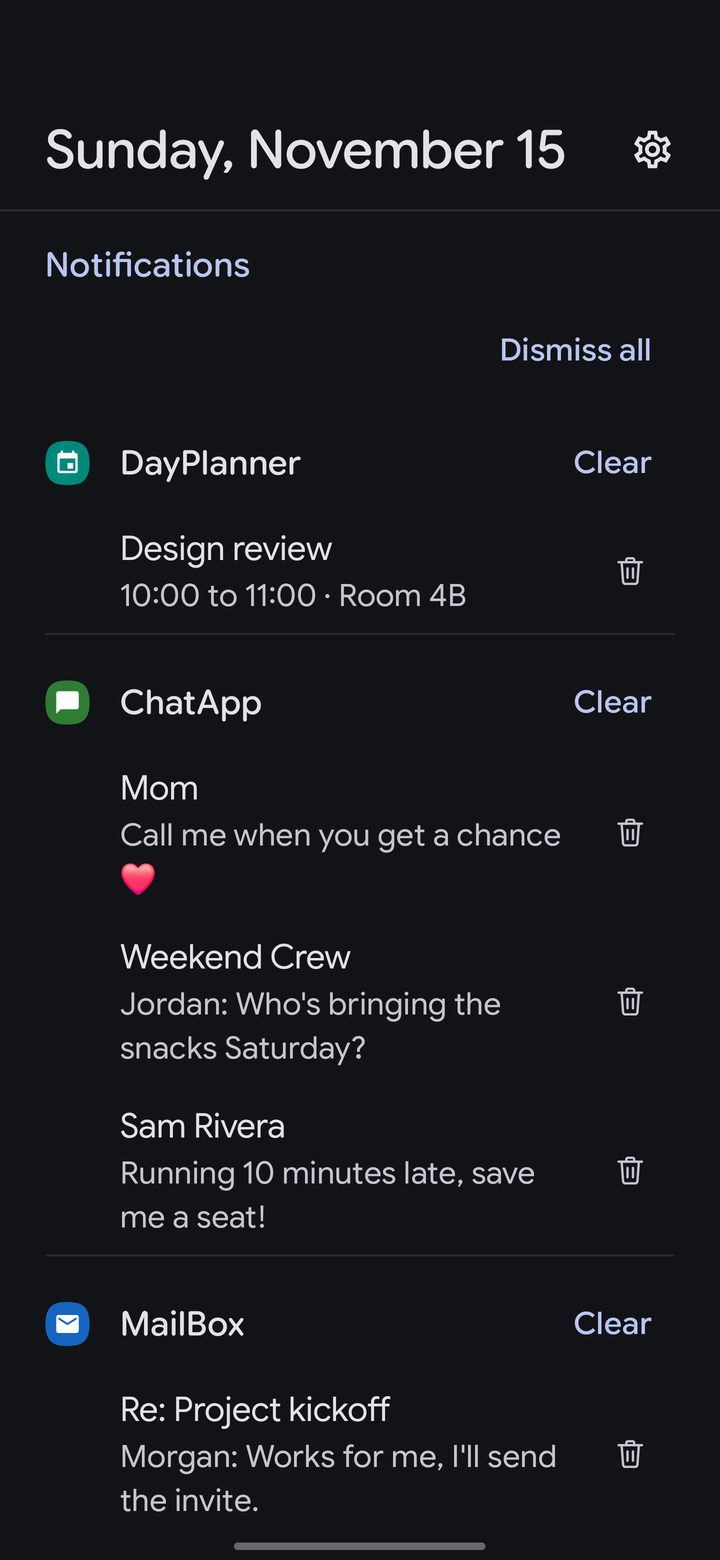
Swipe right from your home screen to open it.
- Dismiss all clears every notification on the card, and Clear clears one app's. The trash can next to a notification clears just that one.
- The button beside Notifications sorts them by app, newest first or oldest first.
Further down are the weather, with saved places, your calendar, notes and any widgets you add. Swipe left to go back home.
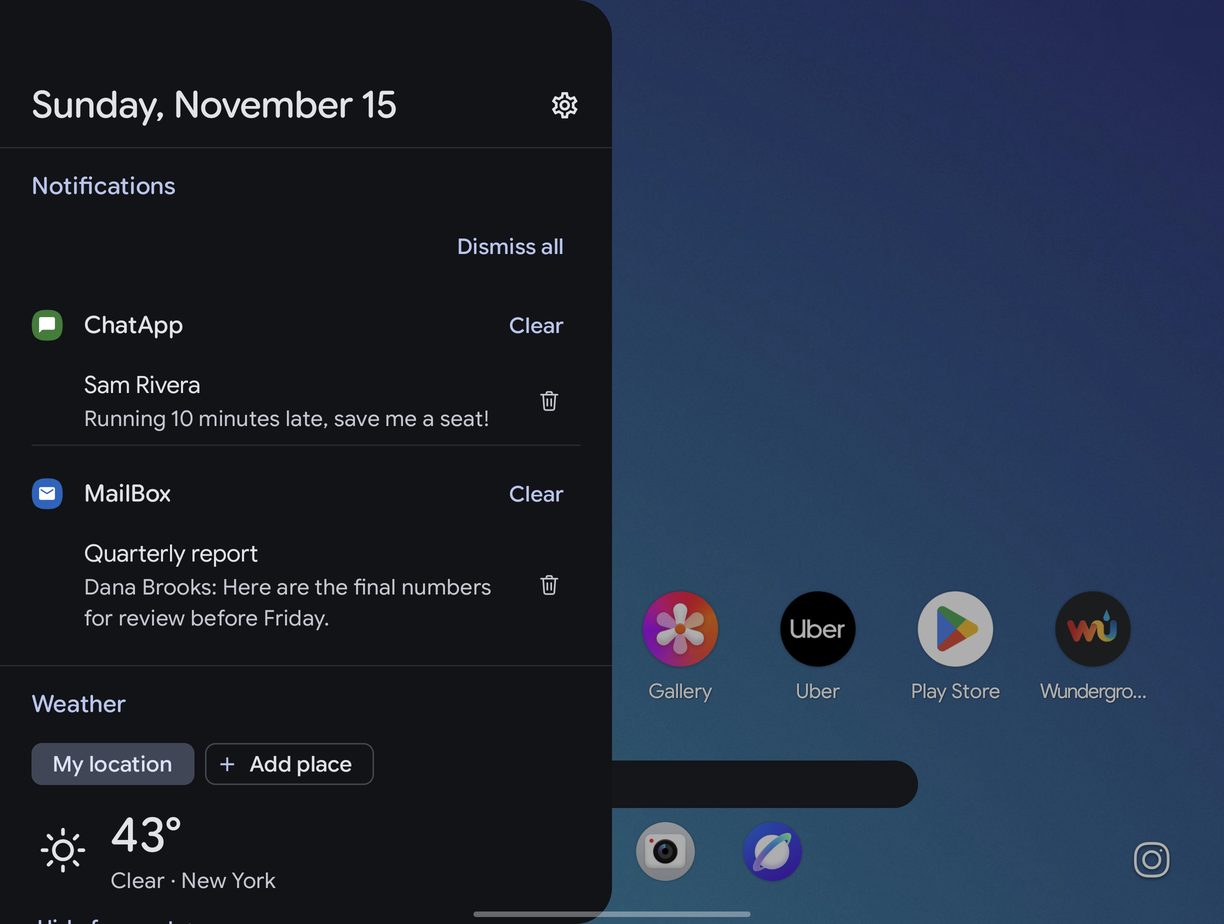
On a foldable's inner screen and on tablets, the Info Hub opens as a panel over half the screen, with your home screen beside it.