 Genesis Launcher
Glimpse
Glimpse is Genesis Launcher's clock and weather widget. It comes in three sizes and can show your latest notifications.
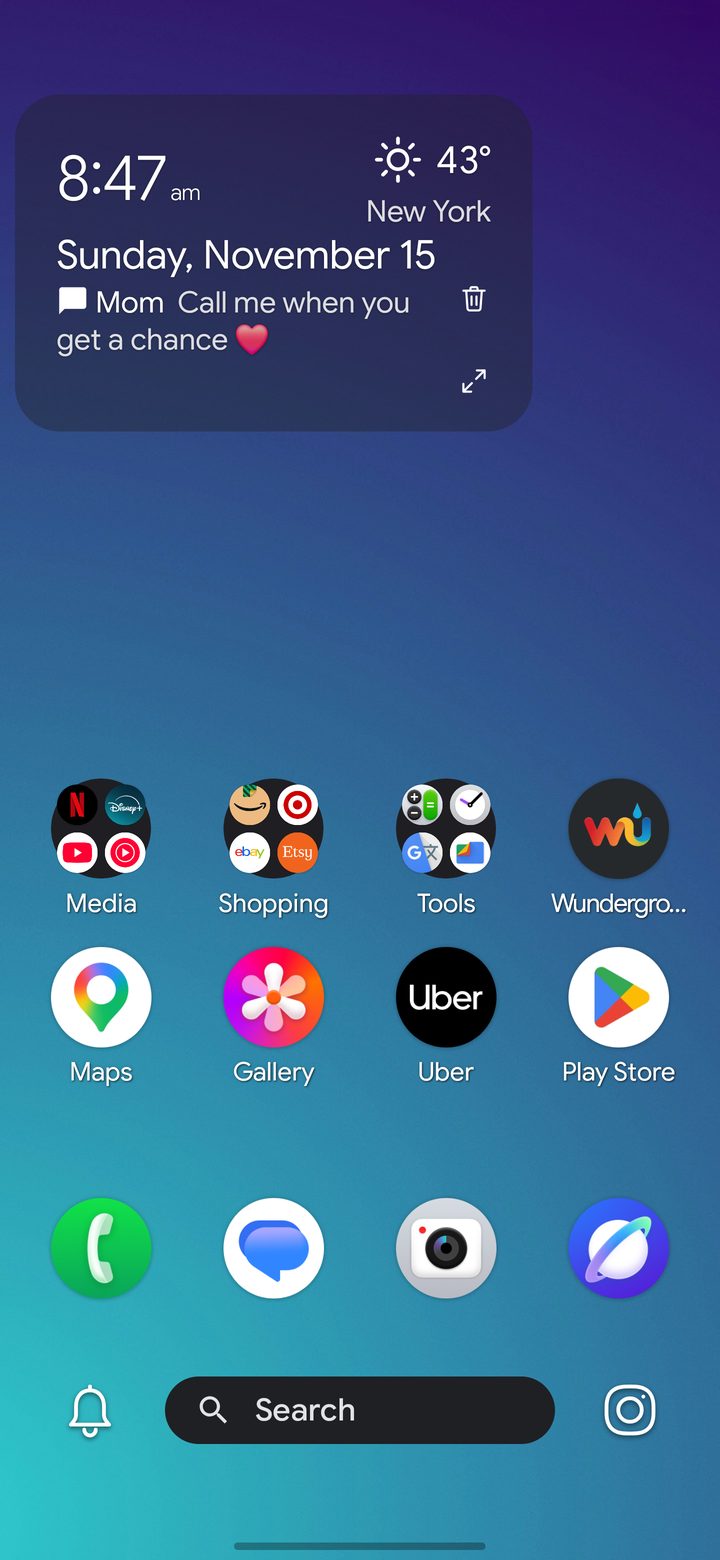
- Time and date.
- Weather for your area, or any city you choose.
- Your latest notifications, one at a time. Tap one to open it, or tap the trash can to dismiss it.
Set it up
- Add it: tap Tap here to add the Glimpse widget on a new home screen, or long-press the home screen, tap Widgets, and pick Glimpse in the size you want.
- Weather location: in Settings › Glimpse, use your approximate location or enter a ZIP code or city.
- Notifications: turn on Show notifications, then pick which apps may appear.
- See them all: the expand button opens your notifications. If the Info Hub is on, it opens there.
Fonts, colors and the status line are in Settings › Glimpse too.