 Genesis Launcher
by DownShift
A fast, beautiful home screen, made entirely yours.
Themes and icon packs, an app drawer that sorts itself, and everything you need one swipe from home. No ads, no accounts, no tracking.
Coming soon to Google Play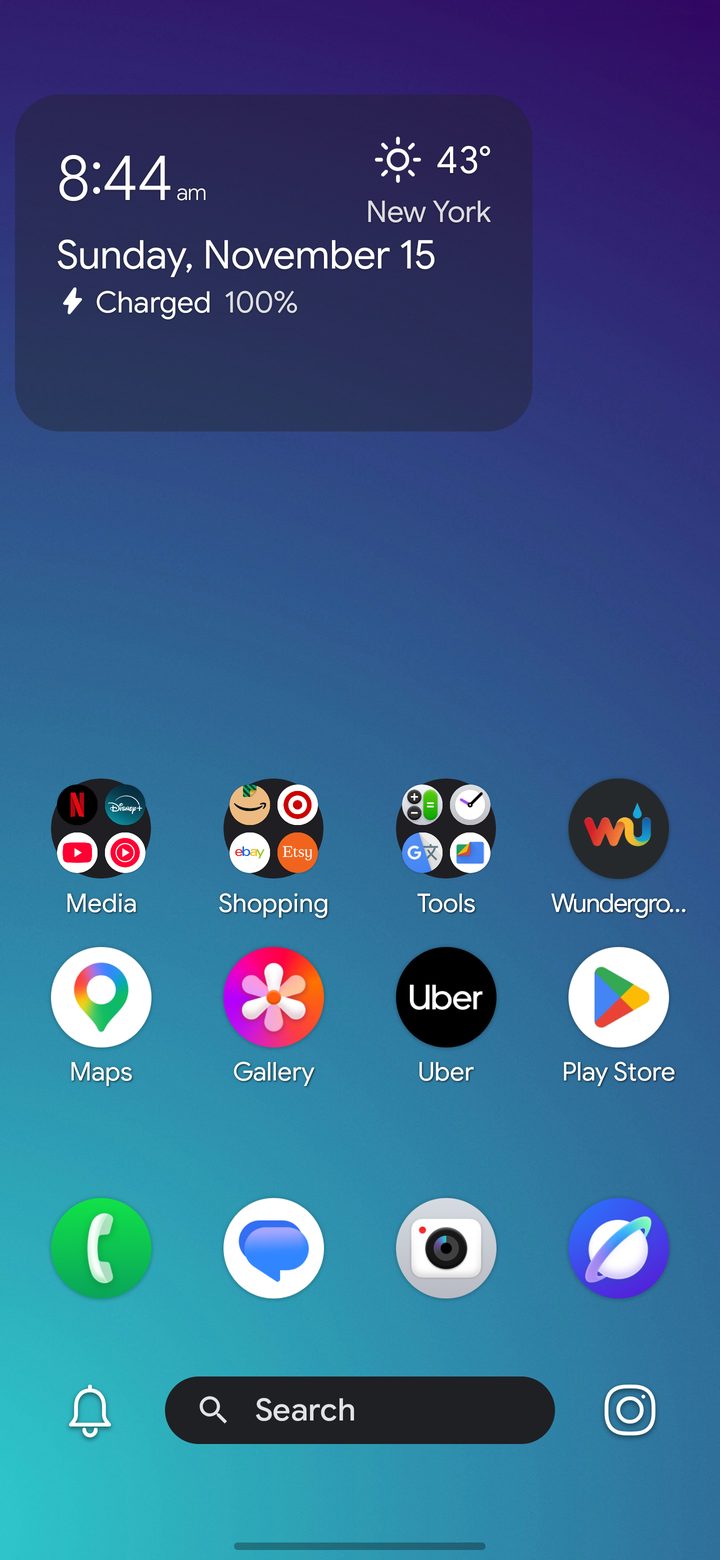
Make it yours
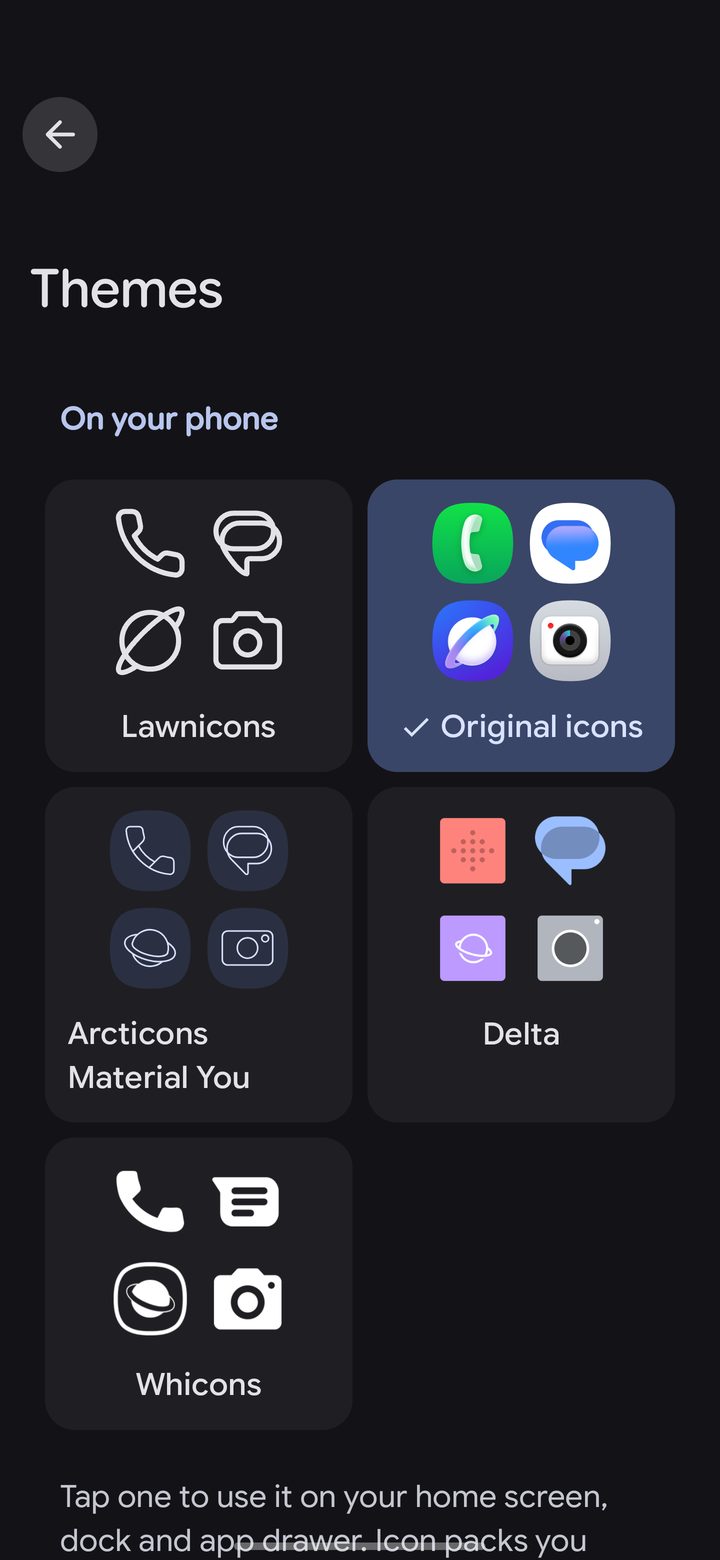
The Themes page puts your icon packs side by side. Tap one to use it everywhere: home, dock, drawer and folders.
- Icon packs and Lawnicons: use your favorite pack, or simple line icons in one color.
- Colors and wallpapers: accent colors, OLED black, and a wallpaper catalog to pick from.
- Layout your way: grid size, labels, dock style and gestures.
A drawer that sorts itself
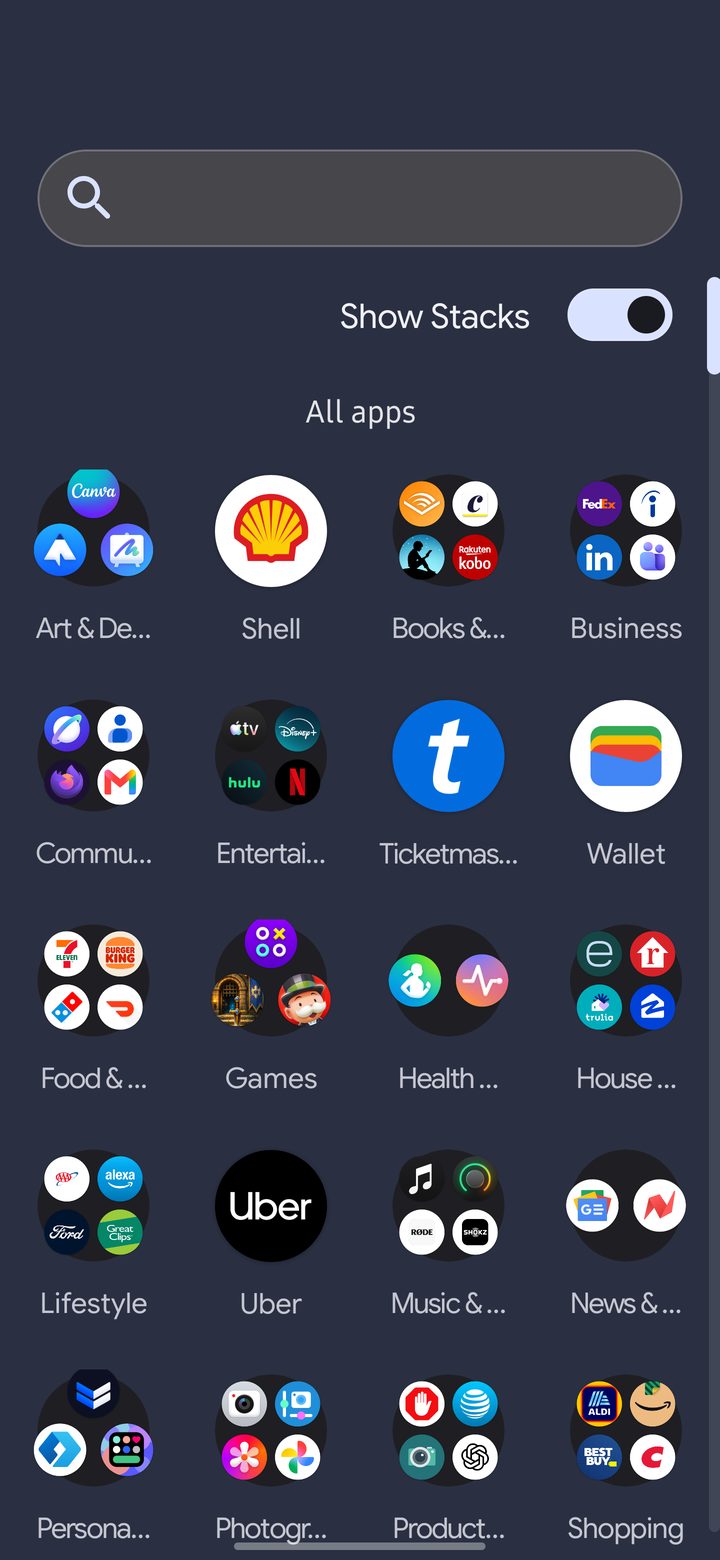
Stacks group your apps into categories automatically, so the app you want is always where you'd look for it.
Move an app to another Stack, make your own Stacks, or turn them off for one simple list. Search finds your apps and the web.
Everything at a glance
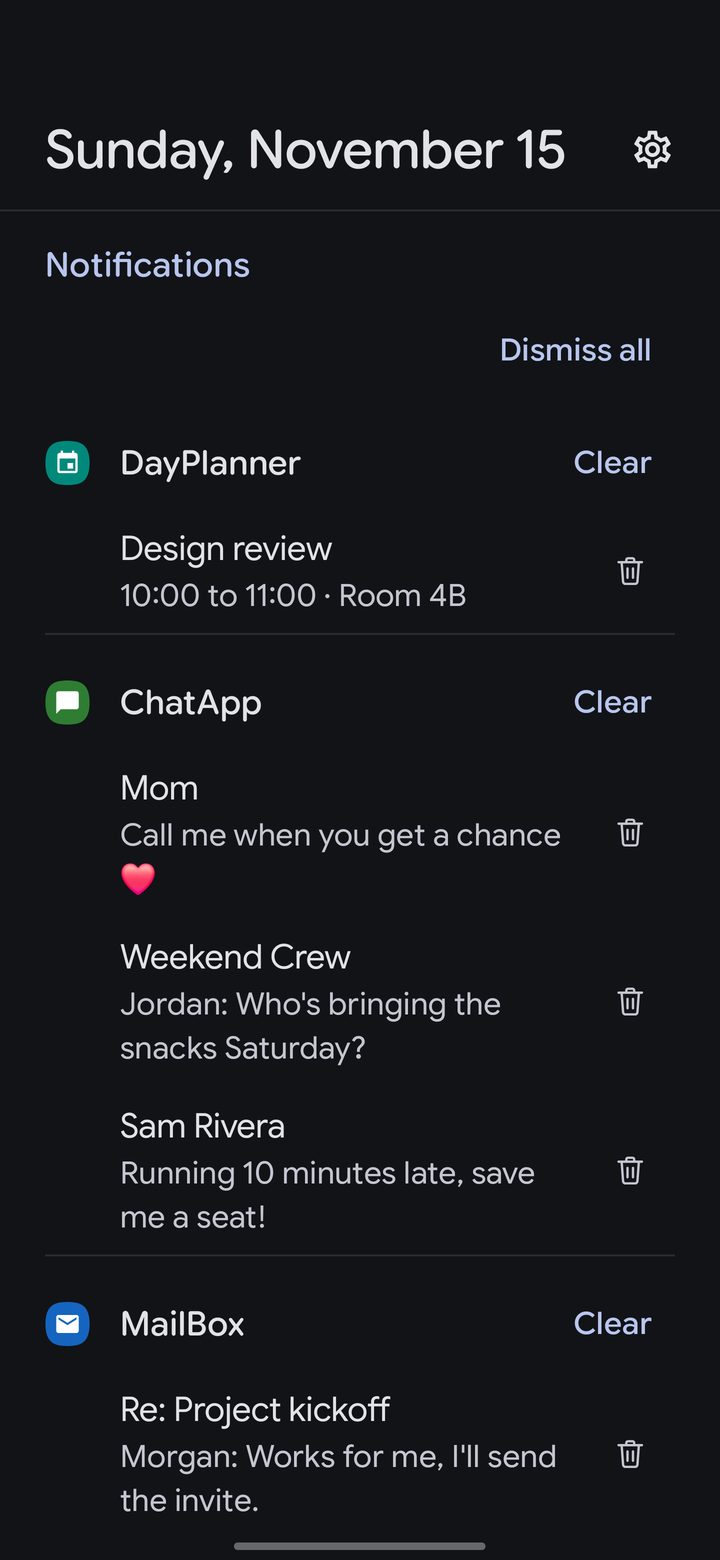
Swipe right for the Info Hub: your notifications, weather, calendar, notes and widgets in one calm place.
- Notifications, sorted by app, newest or oldest first.
- Weather for where you are and the places you add.
- Your cards, your order: choose which cards show and in what order.
Quiet when you need it
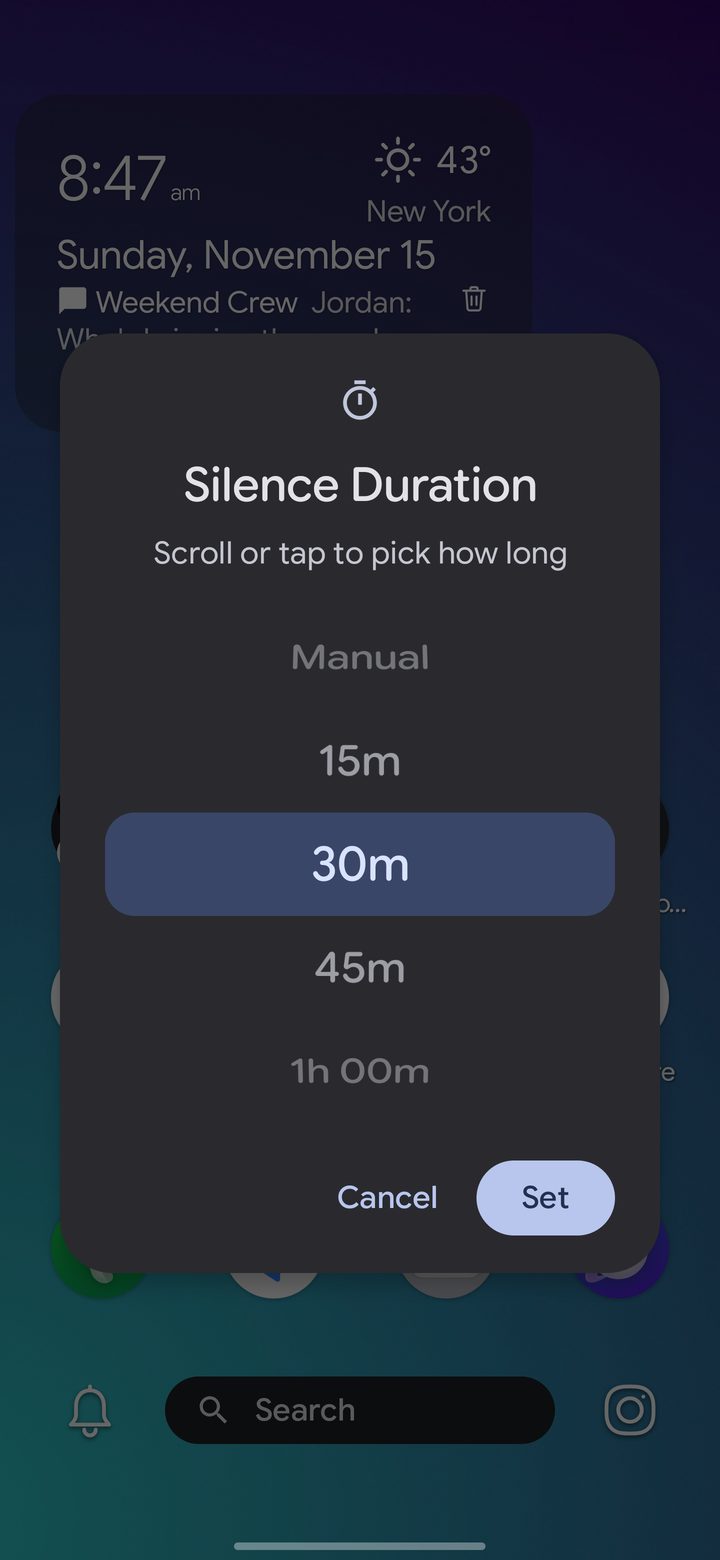
The Silencer is a timed Do Not Disturb, one tap from home.
Pick how long, and when it ends you get a short recap of what arrived while you were focused. The Glimpse widget keeps the time, the weather and your latest messages on your home screen.
Made for foldables and tablets
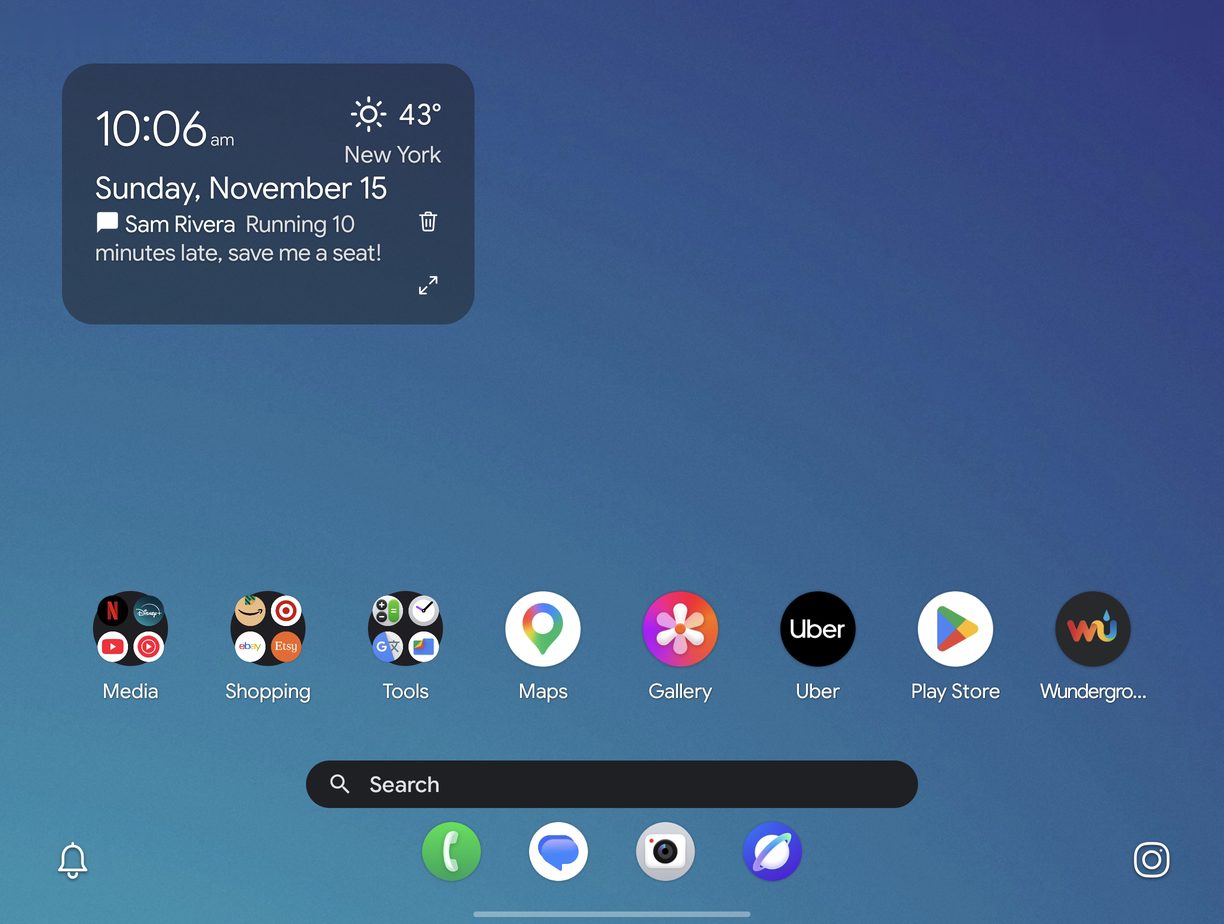
Genesis lays out the inner screen like a tablet, with a dock like One UI's and a half-width Info Hub.
Open two apps side by side or in a window, and keep a separate layout for a foldable's cover screen.
Private by design
Genesis has no accounts, ads, analytics or tracking. Your home screen, settings and notes stay on your phone.
Read the full privacy policy.
Questions
Is it free?
You can try everything free for 14 days. After that, Genesis Pro is a monthly or yearly subscription, or a one-time Lifetime purchase, all through Google Play. Your home screen stays exactly as you set it up either way.
How is it different from DownShift?
Both are made by DownShift Mobile and share the same fast core. DownShift gives you two home screens, one for work and one for personal life. Genesis is one home screen, focused on making it fast and yours.
Which phones does it work on?
Android 14 or newer, on phones, foldables and tablets.
Can I bring my layout from another launcher?
Genesis can restore a backup made in DownShift or Genesis. From other launchers, set up your home screen once; it only takes a few minutes.
How do I get help?
Email support@downshiftmobile.com, or use Contact Support in Settings. The guides walk through each feature.
Start with a 14-day free trial.
Everything included, nothing to set up but your home screen.
Coming soon to Google Play